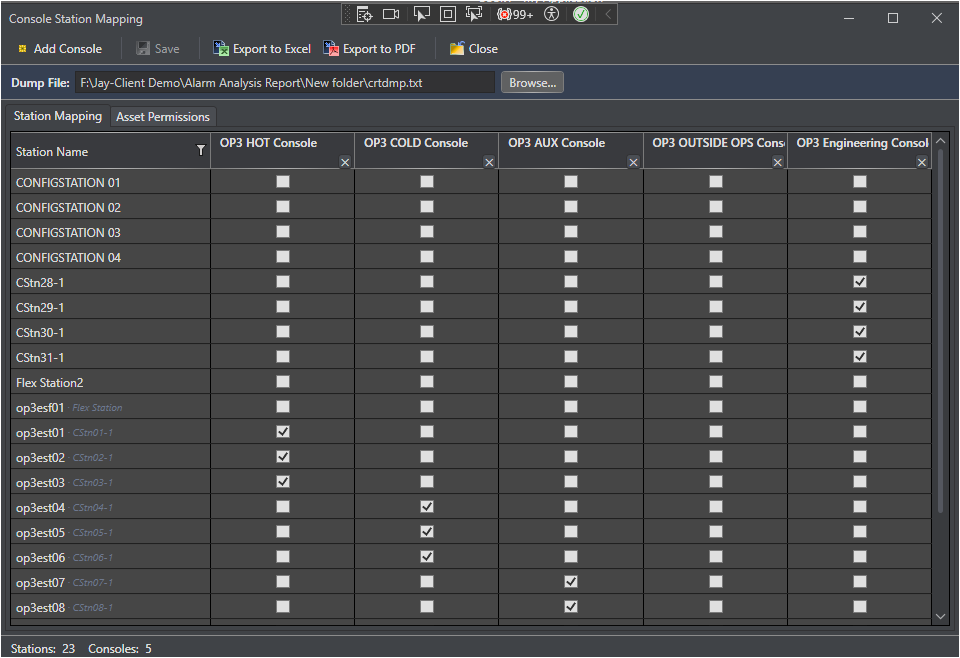
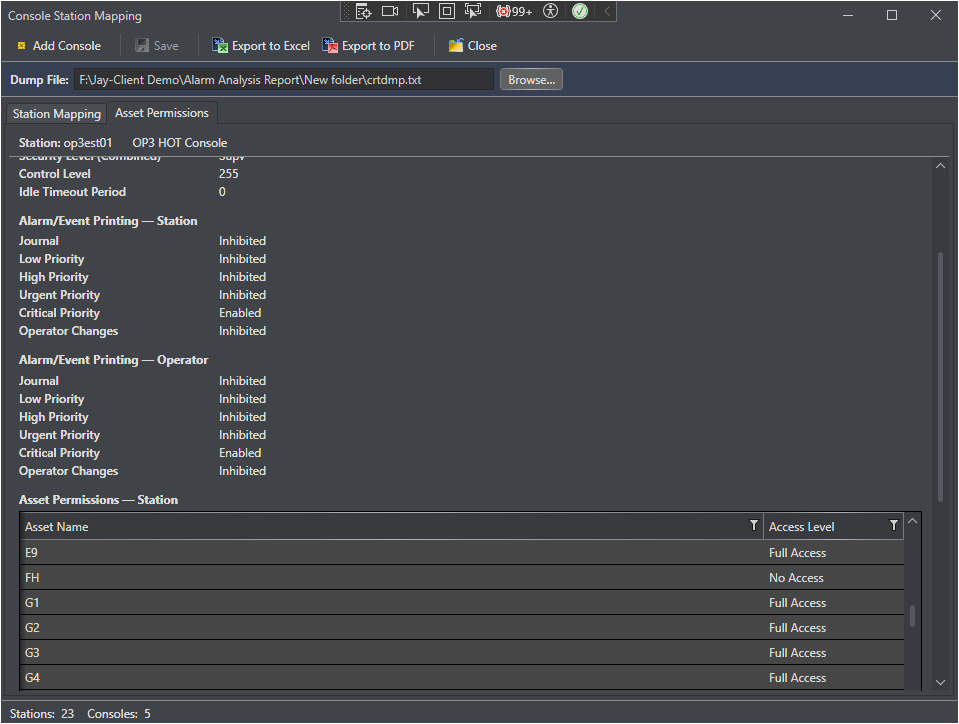
Console Mapping defines which PKS Console Stations are assigned to an Operator Console, which then defines what Assets are scoped to an Operator Console. This mapping is the foundation for generating console-scoped alarm analysis reports. If no Operator Consoles are configured in the PKS System, then their individual Console Stations are used only.
What Is a Console?
In a Honeywell Experion PKS system, an operator console is a group of Console Stations from which operators monitor and control a subset of the process. Each console displays a defined set of Assets that determines the scope of the Operator Console or Console Station. Console Mapping in Control Architect captures this relationship so that alarm analysis can be scoped per console/station.
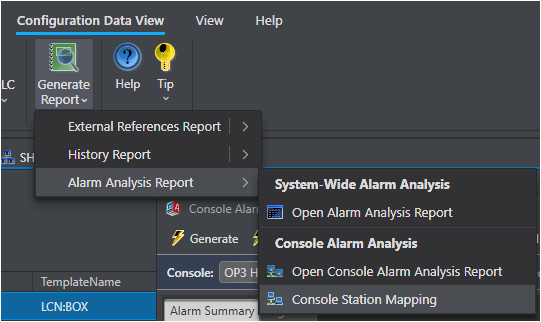
Accessing Console Mapping Menu
How Console Mapping Works
1. Each Asset defined in a PKS System can be assigned to one or more operator consoles or console stations.
2. When a Console Alarm Analysis Report is generated, only tags whose Assets are assigned to the selected console are included in the Tag Data, Alarm Summary, ISA-18.2 KPIs, and Template Breakdown worksheets.
3. The Station Summary worksheet always shows all stations facility-wide, with the reporting console row highlighted in blue.
Console Mapping Views
View
Purpose
Console Mapping Overview (this page)
Introduction and conceptual overview of console mapping
How to export the console mapping to a file for review or backup
Data Source
Console mapping data is stored in MongoDB as part of the Configuration Collection. It is not imported from Experion directly; assignments must be configured manually. The Console Mapping assignments are stored for the Unit-Wide Database and becomes available to all configuration Asset Collection snapshots within this logical Database that represents a Process Unit in a Plant.
Note: If no console mapping is configured for a console, the Console Alarm Report for that console will contain no Tag Data rows and the Station Summary will show the console with zero counts.