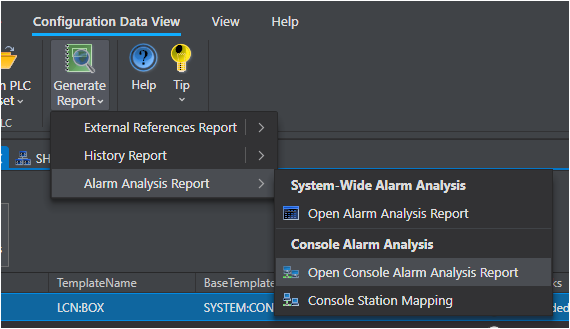
Welcome to Control Architect. This guide walks you through the initial setup and the most common workflows for alarm analysis using the Operator Console Alarm Summary features.
Prerequisites
Access to a Honeywell Experion PKS system or an exported PKS configuration XML file
MongoDB running and accessible from the Control Architect host machine
Microsoft Excel (for report export)
Initial Setup Workflow
1. Connect to MongoDB – Configure the MongoDB connection string in Application Settings.
2. Create a Configuration Collection – A Configuration Collection is a named workspace that holds your tag data, console mappings, and report settings.
3. Import Tag Data – Import PKS tag data from the Experion XML export or directly from the Experion server.
4. Classify Block Templates – Assign Analog or Digital entity types to block templates. See Block Template Classification.
5. Configure Alarm Parameters – Review and adjust which alarm parameters are included in analysis. See Configuring Alarm Parameters.