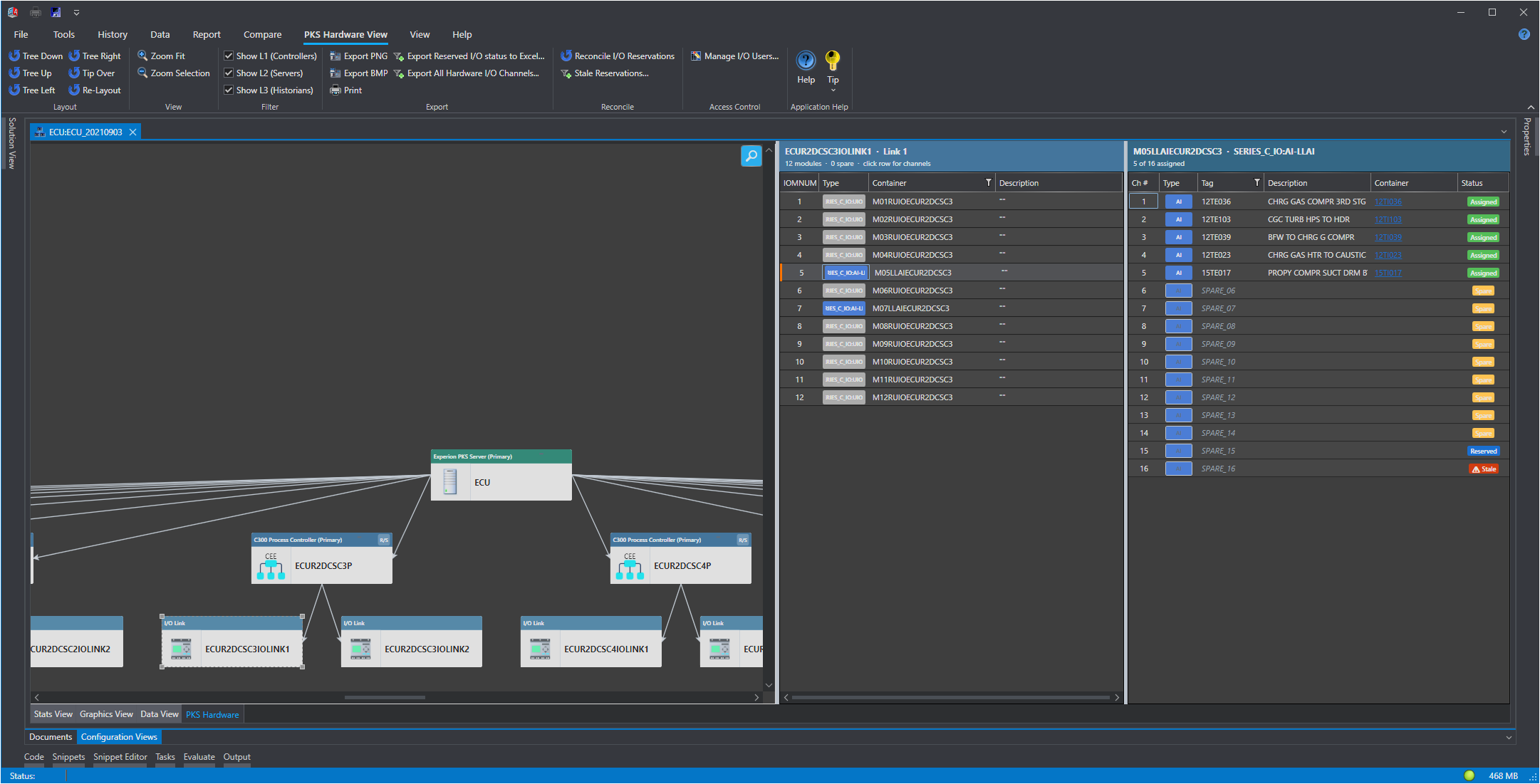
The I/O Spares Management module tracks the reservation status of every spare I/O channel across a Honeywell Experion PKS hardware community. It provides a structured, auditable workflow so project engineers can claim spare channels for upcoming work, field technicians can confirm allocations, and plant management can see at a glance what is available, what is committed, and what has gone stale.
Why It Exists
In a large DCS installation, spare I/O channels are a limited and shared resource. Without a central record, two engineers may independently promise the same spare channel to different projects, or a channel may sit reserved long after the project it was earmarked for has been canceled or completed. I/O Spares Management replaces spreadsheets and email chains with a live database record that is visible to every authorized user the moment it is saved.
Key Capabilities
Capability
Summary
Channel Reservation
Reserve any spare I/O channel for a named project, with an optional undo date and free-text note. See Channel Reservation.
Reservation Statuses
Every channel carries one of six statuses - None, Available, Reserved, Assigned, Released, or Stale - that reflect its full life-cycle. See Reservation Statuses.
Reconcile
Compares all IOSparesDb reservation records against the current hardware snapshot and flags discrepancies. See Reconcile I/O Reservations.
Stale Reservation Report
Lists all reservations whose undo date has elapsed without being manually cleared. See Stale Reservation Report.
Four roles (Viewer, Engineer, Technician, SuperAdmin) govern who can reserve, release, override, and administer user accounts. See Roles and Access Control.
User Administration
A SuperAdmin can register new Windows accounts, change roles, and activate or deactivate accounts without leaving the application. See User Administration.
Where the Data Lives
All reservation records are stored in the IOSparesDb MongoDB database in the ModuleIO collection. User account records are stored in the _pks_io_users collection in the same database. Both collections are created automatically on first use.
Note IOSparesDb is independent of the main Control Architect asset database. Reservation records persist across hardware snapshot imports and remain valid even when the PKS Hardware View community is reloaded.
Getting Started
1. Open the PKS Hardware View tab and load a hardware community.
2. Your Windows account is automatically registered as Viewer on first launch, or as SuperAdmin if you are the very first user.
3. If you need a higher access level, ask your site SuperAdmin to promote your account via User Administration.
4. Click any spare channel in the rack view to open the Channel Reservation dialog.